Turn code into architecture.
And back.
Tesseract is a 3D architecture editor that connects to Claude AI. Visualize your codebase, design systems, and document data flows — together with your AI assistant.
AI-powered architecture editing
Claude AI connects to Tesseract via MCP to read, build, and explain your architecture in real time.
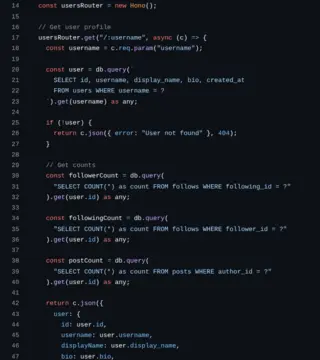
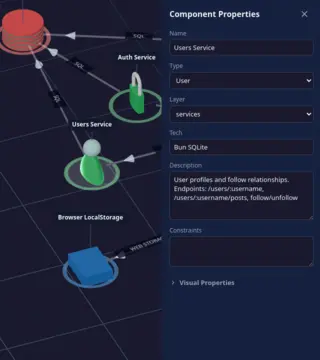
Code → Diagram
Point Claude at your codebase and watch your architecture materialize in 3D. Components, connections, layers — all mapped automatically.
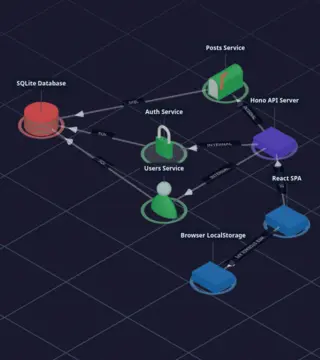
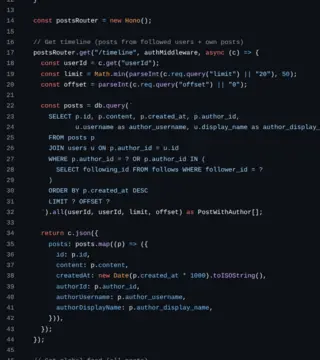
Diagram → Code
Design your architecture visually, then let Claude generate the implementation. Your diagram becomes the source of truth.
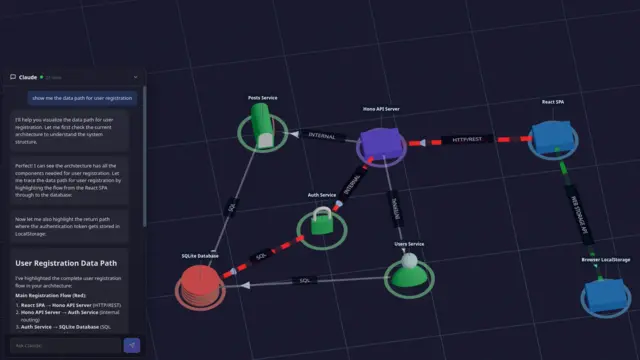
Visual AI assistant
Ask Claude to explain any part of your system. See the answer highlighted directly on your 3D architecture diagram.
One command. Infinite possibilities.
Connect Tesseract to Claude Code via MCP and start collaborating with AI on your architecture.
Install & launch Tesseract
Download the desktop app for your platform and open your project.
Connect Claude Code
Run a single command to register Tesseract as an MCP server.
Start building
Ask Claude to analyze your code, and see the architecture take shape in real time.
# Add Tesseract as an MCP server
claude mcp add -s project -t http tesseract http://localhost:7440/mcp

# Then ask Claude to map your codebase
claude "Analyze the src/ directory and build
the architecture diagram in Tesseract"
Document how data moves through your system Pro
Record, replay, and share data flow paths with animated visualizations. Perfect for onboarding, documentation, and architecture reviews.
Record paths
Click through connections to trace how a request flows from frontend to database and back.
Animated replay
Watch data flow through your architecture with custom shader animations and directional indicators.
Multi-path flows
Document complex scenarios with multiple parallel paths, each with its own color coding.
Start free. Upgrade when you need more.
- Full 3D architecture editor
- Component library (basic shapes)
- Claude AI integration via MCP
- Save & load .tesseract.json
- Unlimited diagrams
- macOS, Windows & Linux
- Everything in Free
- Extended 3D component library
- Data flow recording & management
- Detailed 3D models
- Priority support
- All future Pro features
- Everything in Pro
- Shared diagram workspace
- Team collaboration on schemas
- Centralized server hosting
- Dedicated support
- Custom integrations